
How It Works
Your Fair comes with a wireless device to process cash, debit, credit card, and Mydoh payments. This wireless device makes Fair checkout quick and easy because it lets you:
- accept all major debit and credit cards, and most tap-to-pay cards,
- and run End of Day reports in real time.

Want a cashless payment option for your Fair? We accept Mydoh as our preferred cashless payment solution, so students can shop at the Fair without cash.
After the Fair
Follow these tips to help you pack up the Fair and finalize your financials.
- Ensure all End of Day reports are printed.
- Return all wireless receipts, daily summary printouts, and any certificates with payment.
- Pack the wireless device to be picked up with the Fair.
Resources and Guides
Refer to the Wireless Terminal Instructions or Quick-Start Guide (POS devices only) for step-by-step setup instructions.
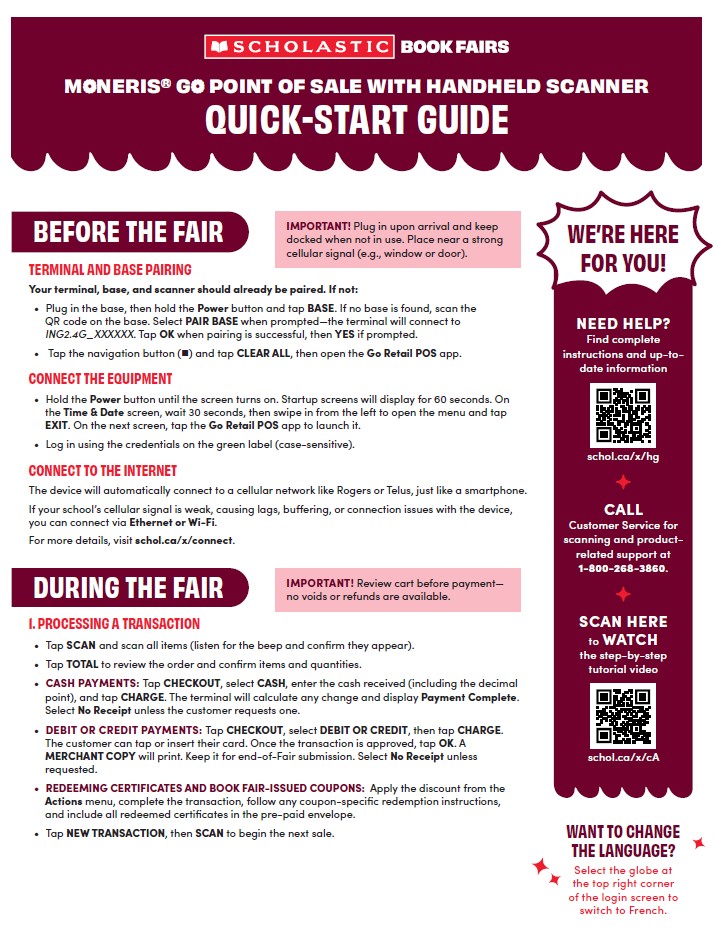
Moneris® Go Retail Point of Sale with Handheld Scanner Quick Start Guide
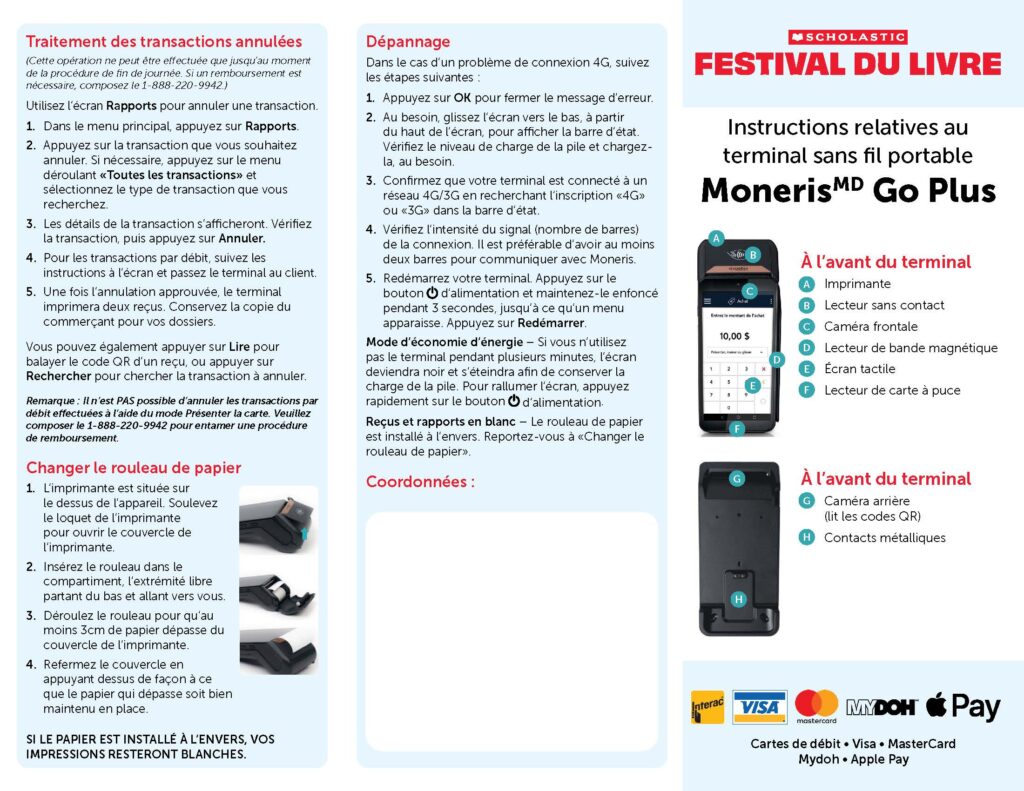
Moneris® Go Plus Handheld Wireless Terminal Instructions
Need Additional Support?
If you’re using a POS device, visit our Moneris POS Guide webpage for detailed instructions and additional support.
View GuideGot Questions?
Check the FAQs for quick answers. We’ve got your back!
More to Explore
Watch explainer videos and brush up on more helpful info in the Host Hub or Learning Lab.
Check It Out